
|
| Control Cloudmersive Multi Threat Detection with Custom Policies |
| 7/30/2026 - Brian O'Neill |
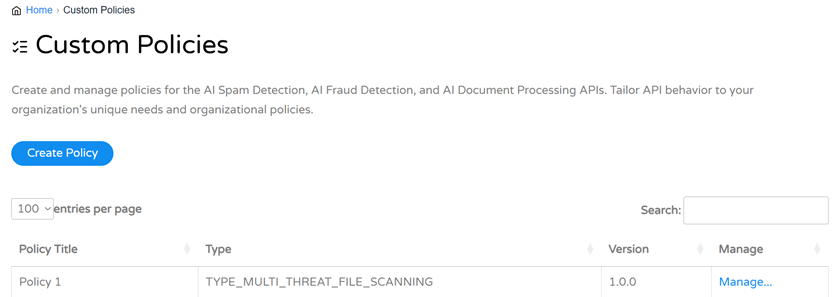
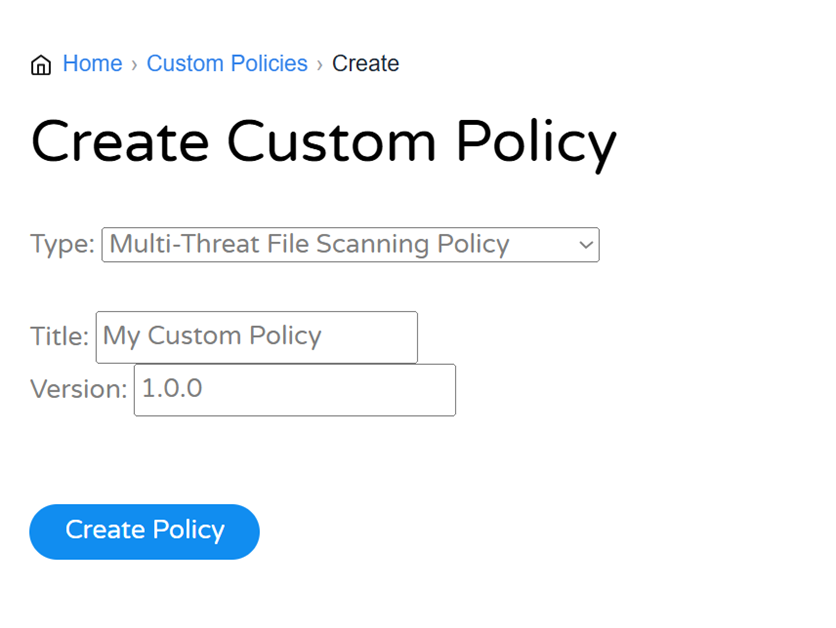
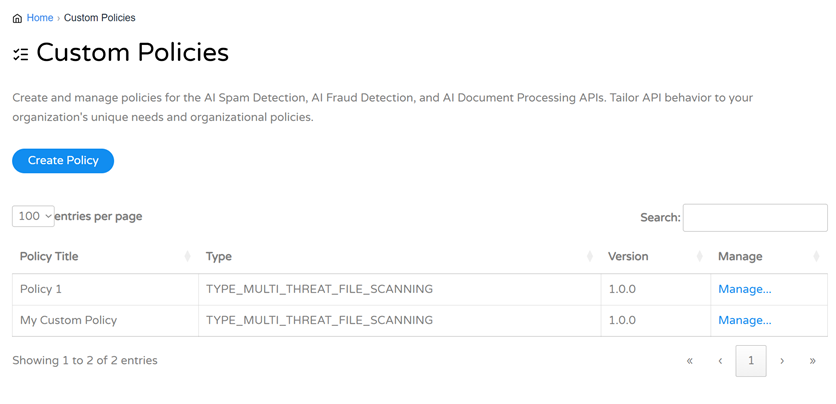
Cloudmersive Multi-Threat Detection brings malware, phishing, fraud, spam, data loss prevention (DLP), image safety, and additional security checks together in a unified threat-scanning workflow. That’s powerful on its own, but with Custom Policies for Multi-Threat Detection, organizations can tightly control how each of those capabilities behaves across their environment. One workflow might need to categorically block phishing and sensitive data, while another might initially collect those findings for analysis. One upload portal might require support for large files, while another may strictly prohibit files beyond a certain size threshold. Custom Policies make decisions like these completely configurable without requiring teams to redesign their scanning integration each time. One policy for the entire scanning sequenceCustom Policies are created in the Cloudmersive Management Portal and referenced in Multi-Threat File Scan, Cloud Storage Scan, and Cloud Storage Batch Job requests using the From there, security teams gain a centralized control layer for the entire threat scan. Instead of spreading individual settings across dozens of applications, they can comprehensively define how threats are scanned, classified, blocked, logged, quarantined, and reconstructed, and they can do it all in one place. Create policies on the Custom Policy page in the Cloudmersive Management Portal (CMP). Name your Custom Policy before saving it. Find your new custom policy displayed on the Custom Policy list. Choose when to detect and when to blockFor most detection categories, Custom Policies support three outcome actions:
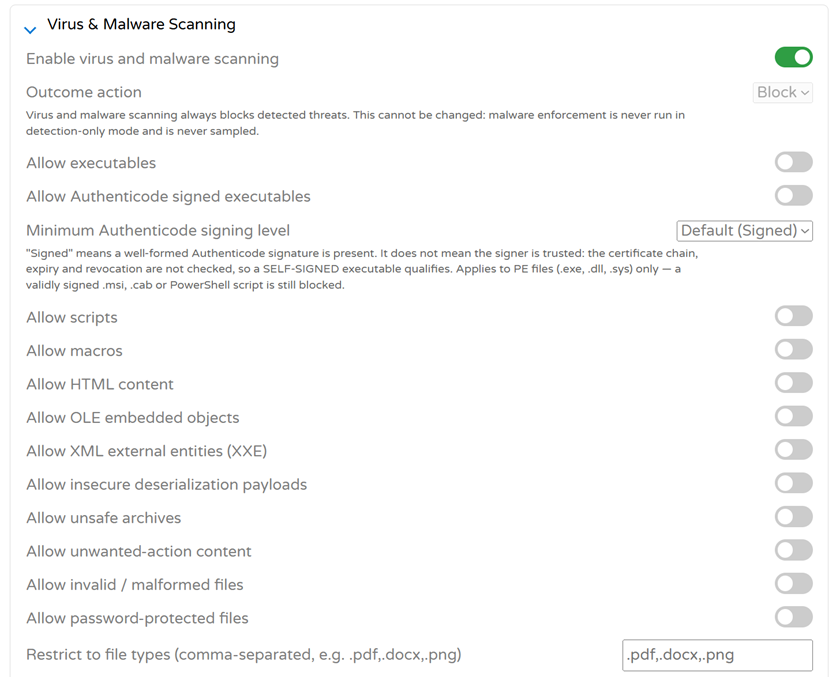
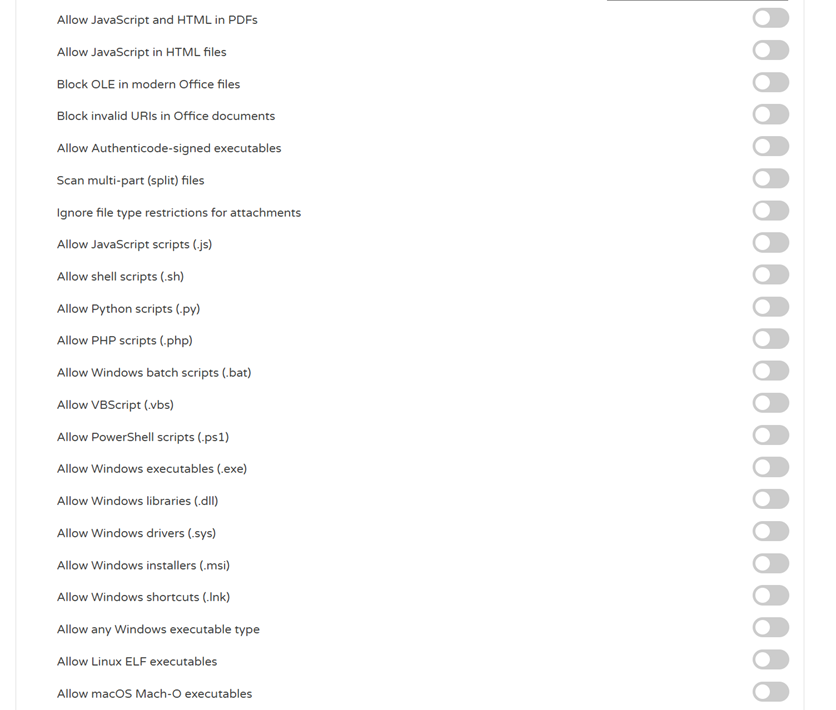
These actions create a useful distinction between visibility and enforcement. Teams can observe and analyze a new detection category before enforcing it, return detailed findings to an enterprise application for custom handling, or simply block unwanted content immediately. Virus and malware scanning is intentionally different, however: detected malware always blocks. It never runs in detection-only mode, and it’s never sampled. Control virus and malware scanningThe virus and malware section is the policy foundation; it’s where Cloudmersive’s signature 360-degree content protection is fully configurable. Teams can create deterministic threat rules to decide whether to allow executables, scripts, macros, HTML content, OLE objects, password-protected files, malformed files, unsafe archives, and a variety of other potentially dangerous content types. Policies can also restrict scans to approved file extensions and apply advanced controls to specific script, executable, Office, PDF, and archive behaviors. This makes it just as easy to build a tightly restricted public-upload policy as it is to create a more permissive internal workflow without making any changes to the application’s scanning logic.
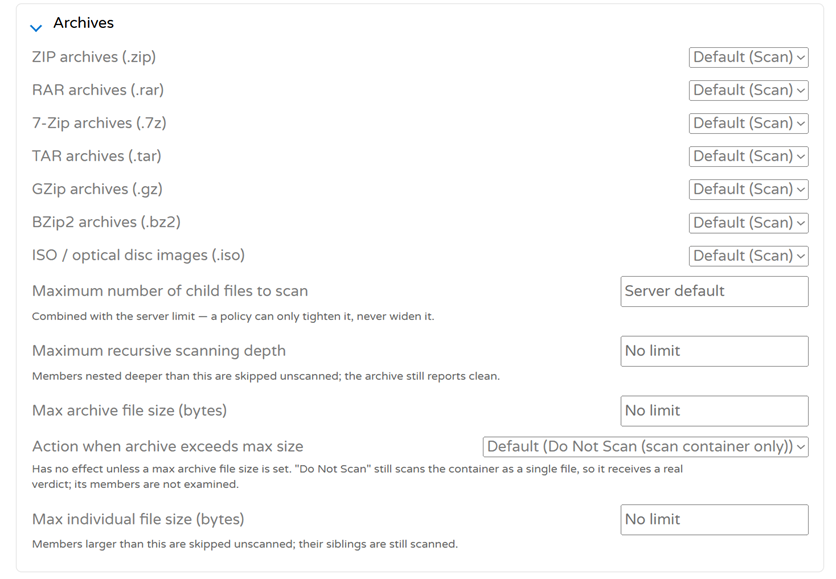
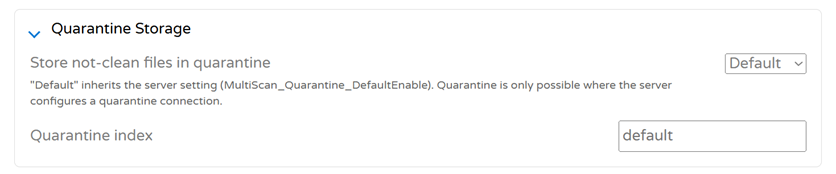
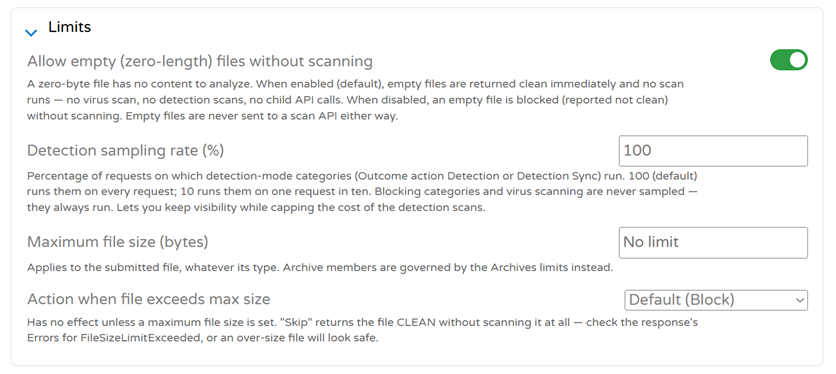
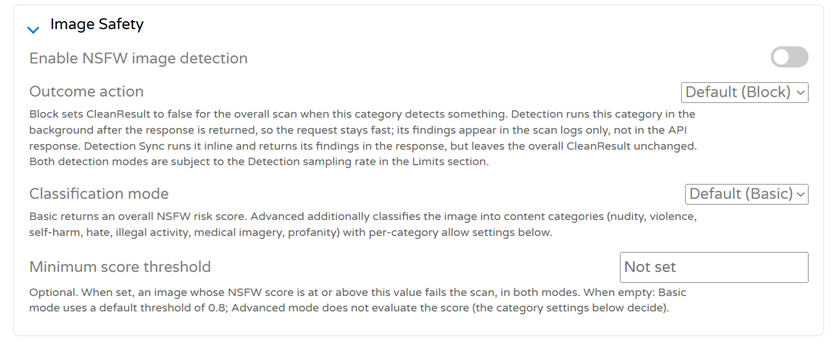
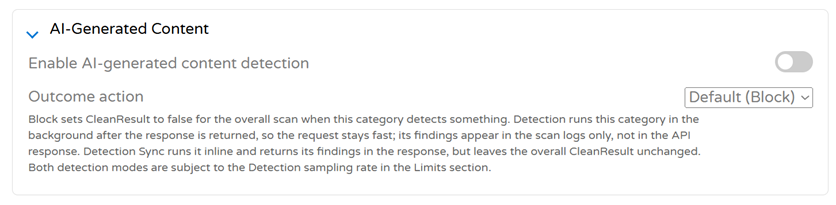
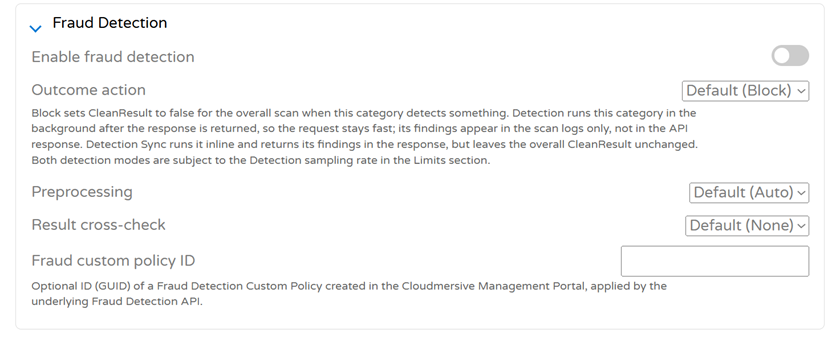
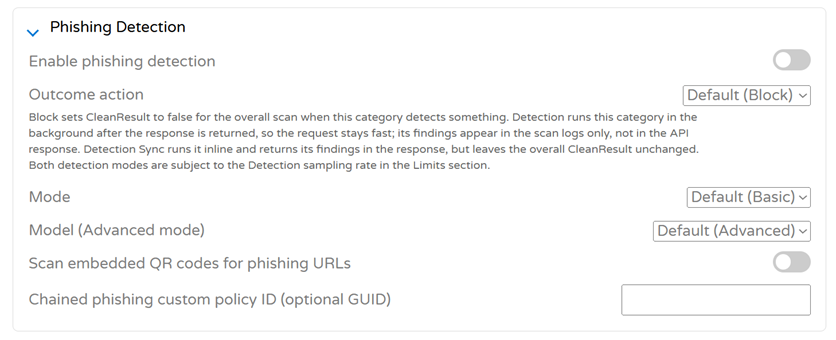
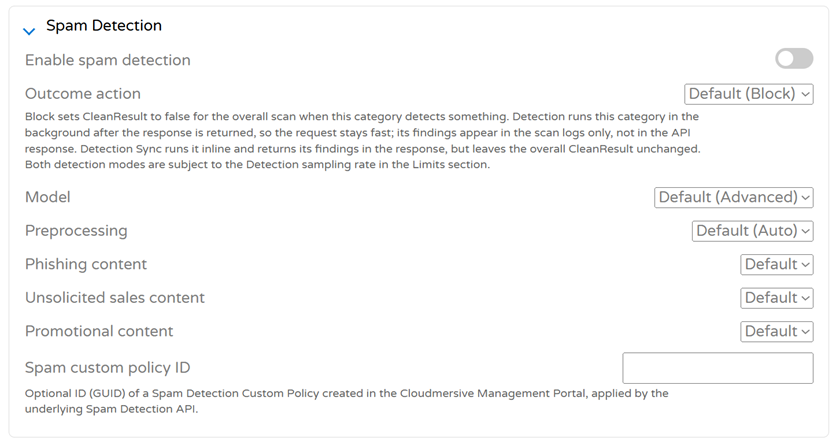
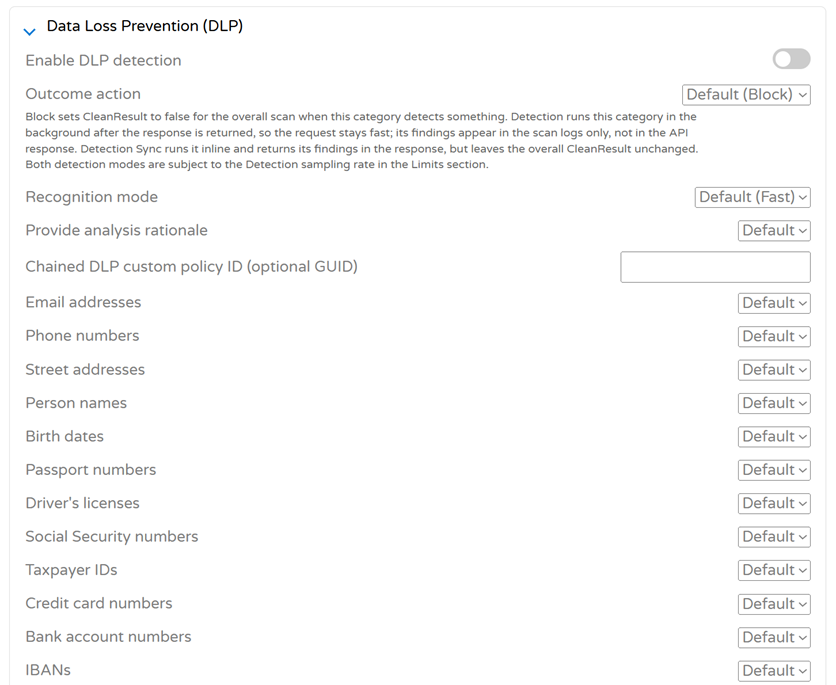
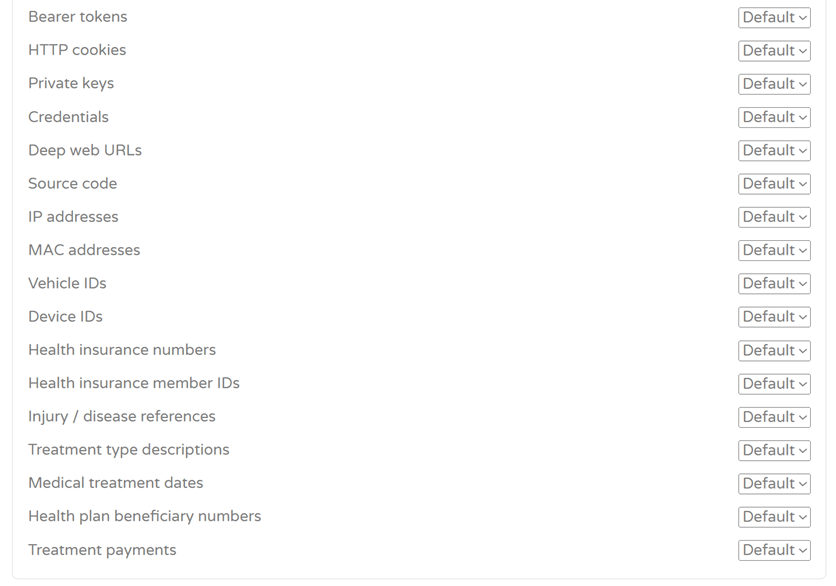
Inspect complex archives safelyCompressed files can complicate threat scanning quickly. Archive policies control how ZIP, RAR, 7-Zip, TAR, GZip, BZip2, and ISO files are handled throughout the workflow. Cloudmersive Management Portal (CMP) administrators can configure recursive scanning depth, maximum child-file counts, archive-size limits, individual member-size limits, and what should happen when an archive exceeds any of those boundaries. These controls are especially valuable when external users can submit compressed files containing dozens, or even thousands, of nested objects. The policy can place firm limits around what gets processed before an unusually complex archive reaches downstream storage or automation. Preserve not-clean files in quarantineBlocking a suspicious file doesn’t always mean it should disappear. Custom Policies can send files with a The policy can inherit the server’s default quarantine behavior or target a specific quarantine index. Note that a quarantine connection must already be configured on the server for this feature to work. Set global scanning limitsSome of the most important policy decisions are less attention-grabbing. The Limits section controls how the Custom Policy handles empty files, oversized submissions, and detection sampling. Detection sampling is particularly useful when teams want clear visibility into intelligent detection categories without running a detection-only scan on every request. A sampling rate of 25%, for example, runs categories configured as Teams can also establish their own maximum submitted-file size and choose whether an oversized file should be blocked or skipped. If Apply image safety policiesA file doesn’t have to contain malware to be unsafe for its audience. Image Safety controls toggle the identification of NSFW or otherwise inappropriate visual content. Basic classification returns an overall risk score, while Advanced classification provides category-level control for content such as nudity, violence, self-harm, hate, illegal activity, medical imagery, and profanity. Organizations can apply their own explicit score threshold or use individual Advanced category settings to keep image handling aligned with their platform standards. Detect AI-generated contentAI-generated content presents another increasingly common policy decision. Detection can be enabled as an independent layer that blocks matching content, runs asynchronously for scan-log visibility, or returns findings synchronously without changing the overall verdict. That flexibility allows teams to introduce AI-content visibility into their content pipelines without immediately disrupting established workflows. Detect fraudulent contentContent can be technically clean and still deceptive. Fraud Detection evaluates content for signs of deception or manipulation, with controls for the outcome action, preprocessing behavior, result cross-checking, and an optional chained Fraud Detection Custom Policy. This allows a general Multi-Threat policy to reuse more specialized fraud rules when a workflow calls for deeper or industry-specific enforcement. Stop phishing—including QR-code phishingPhishing links aren’t always sitting in plain text. Phishing Detection evaluates content for phishing attempts and credential-harvesting behavior, with options for Basic or Advanced processing, underlying model configuration, and embedded QR-code scanning. That last capability extends protection to content where dangerous links are hidden behind ordinary-looking QR codes. A PDF invoice or account notice containing a malicious QR code can be evaluated inside the same unified scan. Organizations can also reference a separate Phishing Detection Custom Policy when more specialized rules are required. Classify spam contentSpam content isn’t a single category, and treating it like one can lead to overly broad enforcement. Spam Detection distinguishes between phishing content, unsolicited sales material, promotional content, and other spam patterns inside uploaded files. Teams can select the model and preprocessing behavior, configure how individual spam categories are treated, and reference a specialized Spam Detection Custom Policy. The result is content-level spam control that operates alongside malware and phishing checks rather than on its own in a separate workflow. Control sensitive data with DLPThe same unified scan can also protect sensitive information entering or leaving the enterprise environment. The DLP section provides granular controls for personal, financial, credential, technical, and healthcare-related data. Policies can detect an extremely wide range of sensitive data types, including email addresses, phone numbers, names, payment information, credentials, private keys, source code, IP addresses, health insurance identifiers, treatment information, and more. Administrators can also control recognition mode, request an AI analysis rationale for extra clarity, and reference a dedicated DLP Custom Policy. This turns sensitive-data detection into an enforceable part of any workflow where content enters or leaves the enterprise network. Content can be blocked before customer records, credentials, financial information, or internal source code enter the wrong system.
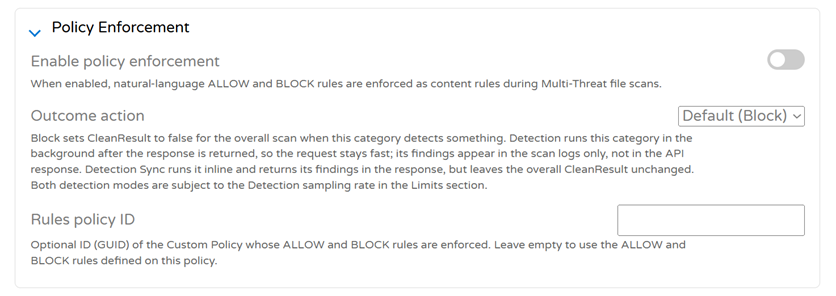
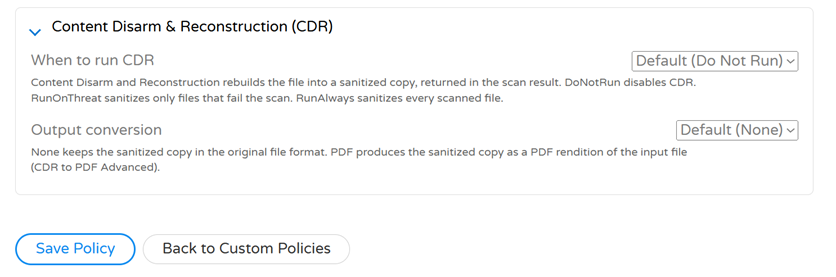
Enforce natural-language content rulesOne of the most flexible sections of the Custom Policy page is Policy Enforcement. It allows teams to apply natural-language Rules can be defined directly on the current policy or conveniently inherited from another Custom Policy using that policy’s ID. This gives organizations a remarkably direct way to translate business requirements into content controls without reducing every decision to a fixed threat signature or content property. Rebuild files with CDRDetection doesn’t have to be the final step. Content Disarm and Reconstruction (CDR) can rebuild scanned files into sanitized copies of the original version. Administrators can disable CDR when it isn’t needed, run it only when a file fails the scan, or apply it to every scanned file. The reconstructed output can remain in its original file format or be converted into a PDF rendition. This allows a Custom Policy to move beyond identifying risk and actively produce safer content for downstream use. Turn one policy into a complete security boundarySeeing all these controls working together is where the scope of Custom Policies becomes especially impressive. A single policy can block malware, inspect nested archives, detect phishing QR codes, classify fraud and spam, enforce DLP rules, evaluate images, apply natural-language content requirements, quarantine rejected files, and return a safe reconstructed copy. More importantly, those controls don’t have to behave identically. High-confidence threats can be blocked immediately, newer detection categories can begin in observation mode, and inline findings can be returned to applications for custom decisions. That combination of breadth and tight control is what makes Multi-Threat Detection much more than a collection of individual threat scanners. Deployment optionsMulti-Threat File Scanning Custom Policies are available with Cloudmersive Managed Instance and Private Cloud deployments. Managed InstanceManaged Instance provides dedicated Cloudmersive-managed infrastructure with service-level agreements, customizable configuration, and enterprise security controls. Private CloudPrivate Cloud deploys Cloudmersive within the organization’s premises or a cloud platform of its choice, supporting greater control over infrastructure and data governance. Get startedCustom Policies give security teams centralized control over how Multi-Threat Detection behaves across real application workflows, all the way from initial file intake through final enforcement, quarantine, and reconstruction. Contact a Cloudmersive representative to explore how Multi-Threat File Scanning Custom Policies can be configured for your environment. |
Sign Up Now or 
 Blog
Blog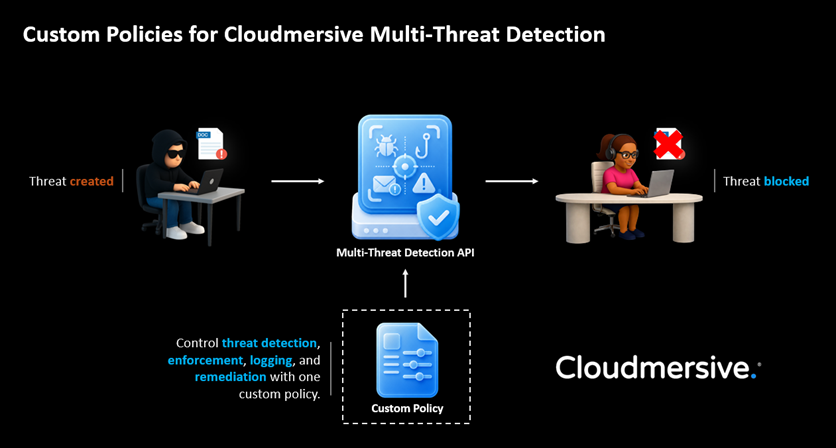
 Virus Scan APIs
 Content Disarm and Reconstruction APIs
 Spam Detection APIs
 Document Conversion & Processing APIs
 Document AI APIs
 Natural Language Processing (NLP) APIs
 Optical Character Recognition (OCR) APIs
 Image and Face Recognition and Processing APIs