
|
| Block Zero Day Threats with Cloudmersive |
| 10/9/2026 - Brian O'Neill |
Signature recognition plays a disproportionately large threat detection role for most security tools. Files that enter an application, cloud storage container, file share, or other network entry point are compared against a list of threat signatures those tools already know about, and the ones that contain matching signatures are caught in the net. Zero-day threats are dangerous precisely because they break the model that signature-based detection tools rely on. A zero-day is so new that no signature exists for it. No patch has shipped to prevent its exploits, and no threat researchers have yet diagnosed or catalogued its patterns. Every file your application accepts could be carrying the first copy of a threat that anyone has ever seen. Cloudmersive 360-Degree Content Protection takes aim against viruses, malware, and zero-day threats with deep content verification, checking whether each file’s true contents match the structure its type demands. Disguised and malformed files are caught even when no signature for the threat exists yet. What makes a threat zero-day?The term zero-day covers two distinct but related ideas. A zero-day vulnerability is an unpatched flaw in software; a weakness that the vendor for that software hasn’t fixed yet. Zero-day malware, on the other hand, is a payload with no existing signature. It’s something a scanner has never encountered before. In both cases, the danger to your system lives within a nebulous window of time: the gap between the moment a threat is first used, and the day a signature or patch finally catches up to that novelty. During that window, recognition-based security tools have nothing to match their signatures against. Why traditional antivirus misses zero-day threatsSignature-based scanning is a strategy that can only catch what past security tools have already seen. A brand-new payload, or in some cases a slightly modified version of an older payload, has no entry on a signature list, so it passes straight through that limited detection model without any flags. Clever disguise also plays a considerable role in bamboozling antivirus software. Attackers often craft files with incorrect extensions, malformed internal structures, or carefully hidden payloads; anything from a ZIP archive to a regular PDF can hide malicious content far beyond what the average scanner will see. To a weakly configured threat filter, these files look completely identical to clean versions of the same file type – until the signature update eventually arrives. Waiting for that outcome is, in practice, waiting to find out whether you were one of the first victims of a zero-day attack. How Cloudmersive block zero-days without a signatureCloudmersive 360-Degree Content Protection, available through the Advanced Virus Scan API, combines two distinct layers of defense. The first is traditional signature-matching against a continuously updated database of virus and malware threats. Known threats are flagged immediately as a first line of defense. The second, and the one that proves crucial for zero-day threat detection, is deep content verification. Cloudmersive’s content verification checks whether a file’s actual contents conform to the structural expectations of the type it claims to be. A file pretending to be an image, or a document with even a subtly malformed internal structure, gets rejected whether or not a signature exists for whatever it may be hiding. This check is all about getting to the core of what the file really is, not what it has been labeled. From there, per-enterprise custom threat rules go to work removing entire categories of risky content from the workflow. Rules can be configured to block, allow, or quarantine whole classes of files outright. That means a zero-day delivered through one of those classes never gets the chance to execute in the first place. Custom threat rules allow for blocking a wide range of content, including:
These are just the primary categories. Additional policies can be applied to whitelist file types or configure options to block JavaScript in PDFs, permit only certain types of executables (e.g., Authenticode-signed), and more. When a file fails any of these custom checks, the Advanced Virus Scan API returns the same Deployment optionsCloudmersive Advanced Virus API scanning is available through flexible deployment models to support different performance, governance, and infrastructure needs. Public CloudCloudmersive Public Cloud provides access through a multi-tenant cloud API. It offers a simple way to add zero-day threat scanning to applications and automated workflows without managing the scanning infrastructure yourself. Managed InstanceA Managed Instance provides dedicated Cloudmersive-managed infrastructure with service-level agreements, customizable configuration, and enterprise security controls. You get dedicated capacity while Cloudmersive manages the underlying environment. Private CloudPrivate Cloud deployment brings Cloudmersive into your own data center or chosen cloud environment. It’s a good fit for organizations that need direct control over infrastructure, network boundaries, and data location. PaaSCloudmersive can be deployed through supported platform services such as Azure App Service or Azure Kubernetes Service. This option provides additional flexibility for teams building within existing Azure architectures. Government CloudGovernment Cloud deployment places Cloudmersive within a specified government cloud region. This helps government organizations and contractors address specific data-governance and infrastructure requirements. Get Started TodayZero-day threats will keep arriving faster than signatures can describe them. Verifying content and narrowing the attack surface is the best way to stay protected in the gap. Create a free Cloudmersive API key to start scanning file uploads for both known and unknown malware threats, or contact our team to learn more about 360-Degree Content Protection. |
Sign Up Now or 

 Blog
Blog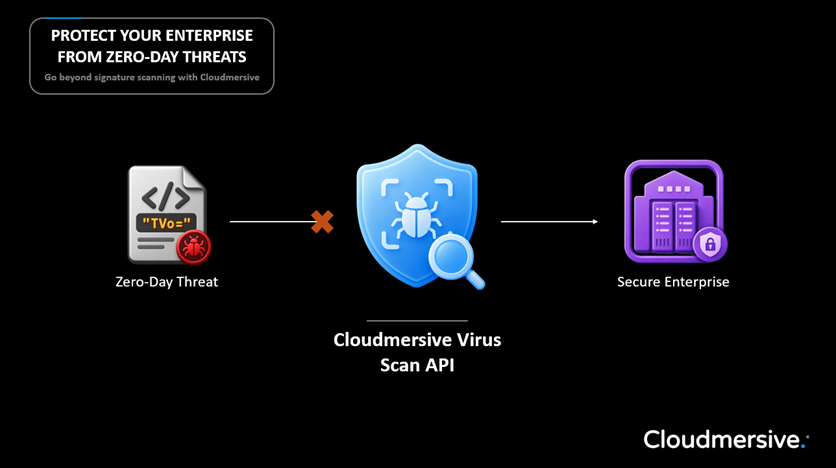
 Virus Scan APIs
 Content Disarm and Reconstruction APIs
 Spam Detection APIs
 Document Conversion & Processing APIs
 Document AI APIs
 Natural Language Processing (NLP) APIs
 Optical Character Recognition (OCR) APIs
 Image and Face Recognition and Processing APIs